One-line guide: a claude.ai chat login is not the same key as a Claude Code session. The usual stall is a free plan, a PATH miss, or an API key that quietly replaces the subscription. Below is the 2026 path from the official docs: which account to open, how to install, how browser login works, and a first run inside your own repo.
Three different keys
“How do I sign up for Claude Code?” usually mixes three products:
- claude.ai chat on the web, desktop, or phone. A free account can open a chat.
- Claude Code, the terminal (and desktop) assistant that reads a repo, edits files, and runs commands. The pricing page lists Claude Code as off on Free, and on for Pro, Max, Team, and Enterprise.
- A Console API key, billed from prepaid credits. If Claude Code accepts
ANTHROPIC_API_KEY, it can skip your Pro allowance.
Being able to chat does not mean the terminal product is enabled. Choosing between this and Cursor is a later question; see Cursor vs Claude Code. This page only gets registration, login, and a first successful run done.
Create an account and pick a plan
For an individual, follow this order. Prices are what claude.com/pricing showed in October 2026, before tax, and Anthropic can change them:
- Register on claude.ai with an email. If the page says your region is unavailable, the account is outside Anthropic’s supported countries. This guide does not describe a workaround.
- Upgrade to a plan that includes Claude Code. Pro is the common choice: $20 per month, or $200 billed annually ($17 per month).
- If you hit the cap all day, look at Max: about $100 per month for 5x Pro usage per rolling five-hour window, or about $200 for 20x. That is not an unlimited plan.
- For a company seat, wait for a Team or Enterprise invite and sign in with that claude.ai user. Do not mint a spare key “just in case.”
- If finance wants token invoices, use Claude Console (platform.claude.com) with prepaid credits. That ledger is separate from the subscription pool.
| Plan | List price, Oct 2026 | Claude Code login |
|---|---|---|
| Free | $0 | No. The comparison table marks it off |
| Pro | $20 monthly, or $17/mo annual | Yes. Shared with web, desktop, and mobile |
| Max 5x / 20x | $100 / $200 per month | Yes. About 5x or 20x Pro usage |
| Team / Enterprise | Per seat, admin-provisioned | Sign in with the invited account |
| Console API | Prepaid, metered | Yes, on a different bill |
One usage pool, not an unlimited terminal
Web, desktop, mobile, and Claude Code draw from the same allowance. Paid plans add a rolling five-hour session limit and weekly caps. At the cap you wait, upgrade, or turn on usage credits at API rates. Those credits are not the monthly API credits bundled with Max.
Install on macOS, Linux, and Windows
The setup docs ask for macOS 13+, Windows 10 1809+ or Windows Server 2019+, Ubuntu 20.04+, Debian 10+, or Alpine 3.19+; 4 GB of RAM; x64 or ARM64; and a network path. Bash, Zsh, PowerShell, or CMD is enough.
Prefer the native installer. macOS, Linux, and WSL:
curl -fsSL https://claude.ai/install.sh | bash
Windows PowerShell (the prompt includes PS):
irm https://claude.ai/install.ps1 | iex
Windows CMD (no PS in the prompt):
curl -fsSL https://claude.ai/install.cmd -o install.cmd && install.cmd && del install.cmd
The installer can look frozen while it downloads. When it finishes, open a new terminal and check:
claude --version
claude doctor
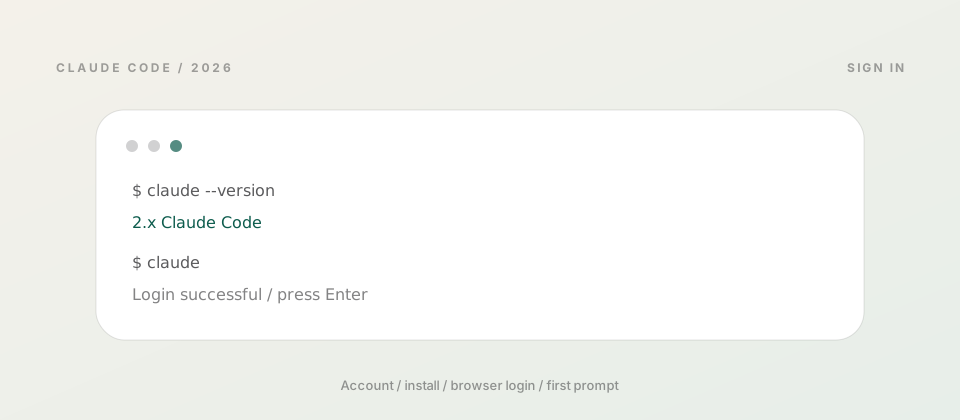
claude --version should print a version such as 2.x (Claude Code). claude doctor is a read-only health check of the install and settings files. It does not start a coding session.
Package managers work, and they do not auto-update through Claude Code by default:
- Homebrew:
brew install --cask claude-code, laterbrew upgrade claude-code - WinGet:
winget install Anthropic.ClaudeCode, laterwinget upgrade Anthropic.ClaudeCode - npm (Node.js 22 or newer; the package downloads a native binary and does not run on your Node at runtime):
npm install -g @anthropic-ai/claude-code. Do not usesudo.
The native launcher lives at ~/.local/bin/claude. If the shell says command not found, open a new terminal first, then follow the official PATH fix. On Windows, install Git for Windows so the Bash tool is available; otherwise Claude Code falls back to PowerShell. Install errors are collected in the deployment-error guide.
A desktop app exists for macOS, Windows, and Linux if you would rather skip the shell. The first-run steps below stay on the CLI, because that is where signup guides get stuck.
Log in: browser, code paste, API key
Start inside the project, not from a home directory that contains everything you own:
cd /path/to/your/project
claude
The first launch tries to open a browser. Pick the account that matches the bill:
- Pro or Max: the claude.ai user you just upgraded.
- Team or Enterprise: the user your admin invited.
- Console: sign in with the Console account. Current builds offer an account login without creating an API key first. The older “create a key” path still exists and stores a static secret.
- Bedrock, Google Cloud Agent Platform, or Microsoft Foundry: set the variables your org requires, or choose the third-party platform at the login prompt. That path does not use a claude.ai browser login.
If the browser does not open, press c in the terminal and paste the URL locally. If the page shows a code and the terminal never returns, paste it at Paste code here if prompted. That happens on WSL2, SSH, containers, and remote Macs, because the browser cannot reach Claude Code’s local callback. Success prints Login successful; press Enter to reach the prompt. Credentials are stored for the next launch.
Subscription users: check for an API key first
If ANTHROPIC_API_KEY is set and you approve it, Claude Code skips the subscription login and bills the Console. To spend Pro or Max usage, unset the key, run /logout, start claude again, and choose the subscription account.
/logout also resets first-launch setup, so the next claude walks through login again. To keep a work account beside a personal one, use a separate config directory, for example CLAUDE_CONFIG_DIR=~/.claude-work claude.
First run
After login, the prompt shows the version, model, and working directory. Do not ask it to “finish the product.” Use a change you can review:
- Pick a small repo you can write to. Do not trust a downloads folder or a company-wide share on day one.
- If it asks whether you trust this folder, trust only your own project.
- Keep the first request narrow: “Edit only the README. Add three lines of install steps. Do not touch other files. Then tell me which lines changed.”
- Read shell commands before you approve them. Leave the confirmation on for the first session.
- Keep or revert the diff yourself. Type
/helpfor commands, and/resumenext time to continue the thread.
Once that works, add a CLAUDE.md at the repo root: stack, test command, directories that must stay untouched, and a note that secrets do not belong in git. When the repo is large enough that callers get missed, read the Graphify walkthrough. That is the next layer, not a signup requirement.
Commands you will actually use
| Goal | Command |
|---|---|
| Confirm the install | claude --version |
| Check install and settings only | claude doctor |
| Start a session here | claude |
| Sign in again / sign out | /login, /logout inside the session |
| Command list, or continue | /help, /resume |
| Update a native install | claude update (Homebrew and WinGet use their own upgrade) |
Remote Mac and SSH
On a cloud Mac or any SSH session, the browser often cannot call back to that machine’s loopback port. Press c, open the URL on your own computer, then paste the code into the remote terminal. That is the documented callback failure path, not a separate login trick.
Long sessions, Xcode, and local models compete for the same RAM. The model bill stays on the Anthropic plan; the compile box can be a dedicated Mac. See Claude Code on a Mac mini workstation for sizing. An unattended 24/7 agent is a different deployment: the 24/7 agent guide. Do not fold that into the first successful prompt.
When it stalls
claudeis not found: the shell was not restarted, or~/.local/binis missing from PATH.- PowerShell rejects
&&: that line is the CMD installer. Use theirmcommand instead. - CMD does not know
irm: that is PowerShell. Switch to a window whose prompt starts withPS. - Chat works, Claude Code does not: the account is still Free. Upgrade to Pro or above.
- Pro is paid, but the invoice is API usage: unset
ANTHROPIC_API_KEY,/logout, and sign in with the subscription. - Signup says the region is unavailable: the account is outside the supported list. Do not rotate emails to probe the policy.
- 403, or
syntax error near unexpected token: follow the official install troubleshooting and common deployment errors.
If the goal is one key for GPT, Claude, and Gemini, that is a different product: the OpenRouter tutorial. It does not replace the claude.ai login above.
FAQ
Can a free claude.ai account use Claude Code? No. The pricing table marks Claude Code off on Free. You need Pro, Max, Team, Enterprise, or Console.
How is Pro different from an API key? Pro puts chat and Claude Code on one subscription pool. An API key bills Console credit, and approving ANTHROPIC_API_KEY skips the subscription login.
What if the shell says command not found? Open a new terminal and run claude --version. If it still fails, fix PATH and run claude doctor.
The browser never returns to the terminal. Press c to copy the URL. If the page shows a code, paste it at Paste code here if prompted. SSH and remote Macs use this path.
What should the first task be? A one-file edit whose diff you can read, with command approval left on. A knowledge graph and a 24/7 deploy come after this run succeeds.
ZavCloud Developer Infrastructure
After the first prompt, do not share a laptop with Xcode
The model bill stays on your Anthropic plan.
Long sessions and compiles can sit on a dedicated Mac, with a separate invoice.