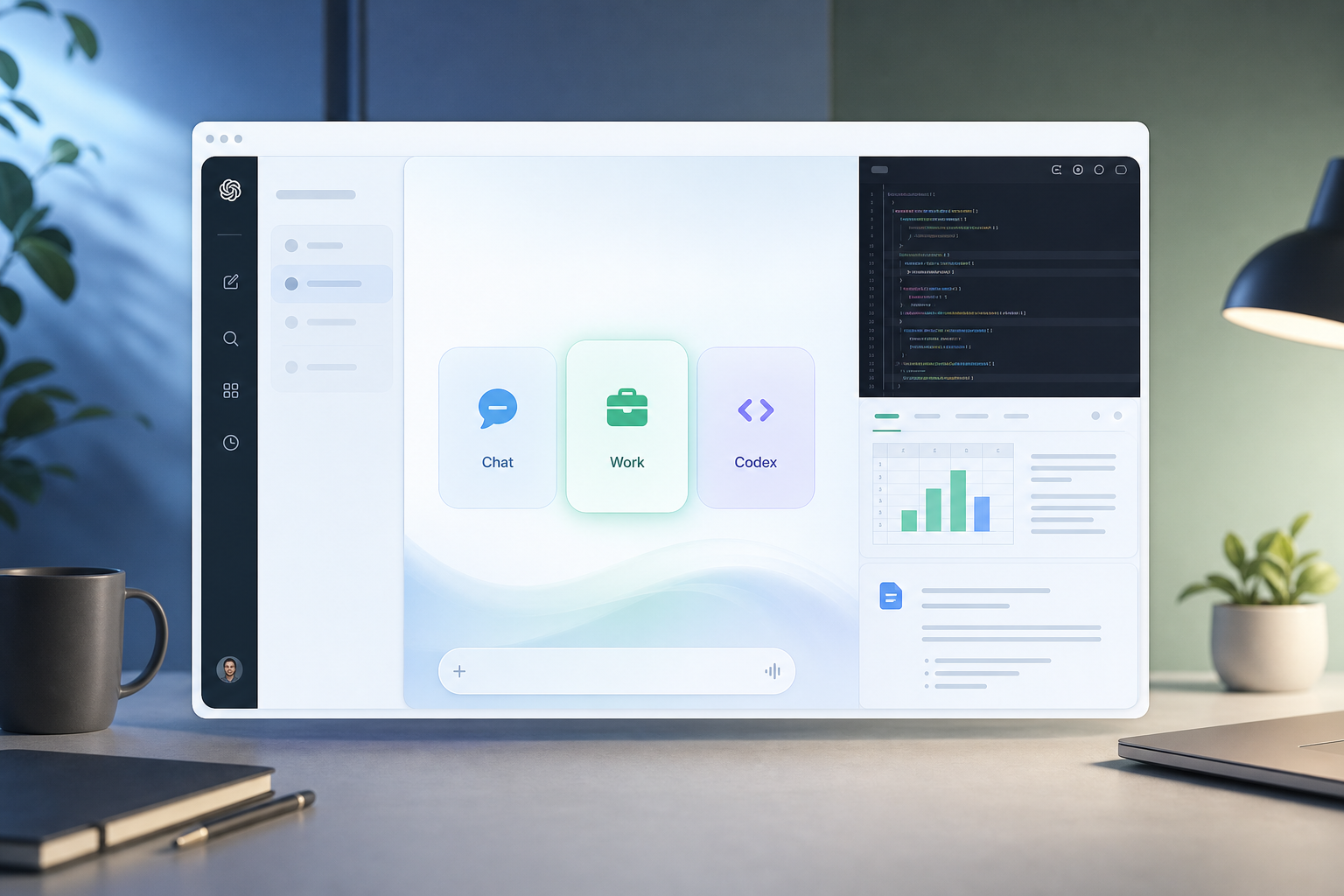
In one sentence: in July 2026, OpenAI rewrote ChatGPT's product story in a single update — the standalone Codex app bows out, ChatGPT Work becomes the new headline, and the desktop client unifies into a Chat / Work / Codex three-mode super-app. "Bowing out" does not mean Codex capabilities vanish, and "taking the crown" is more than marketing — behind it lies Agent foundation reuse, GPT‑5.6 launching the same day, and a full strategic play against Claude Cowork. Below we unpack why Codex stepped aside, why Work earned the spotlight, how the three modes divide labor, and how subscriptions and migration land in practice.
The GPT-5.6 family released the same day powers Work and the new Codex; if you still run the Codex CLI, later sections explain how the desktop merge relates to terminal Agents.
Codex bows out: why did the standalone app step aside?
On July 9, 2026, OpenAI completed ChatGPT's largest product reorganization in years: the standalone Codex app officially bows out, ChatGPT Work takes over as the new mass-market face, and the desktop client unifies into Chat / Work / Codex three modes. On the surface it looks like "cutting a product line"; underneath, three strategic threads converge:
1. Codex had already "crossed the line" — user behavior forced the product shape
Codex in 2026 was positioned as a coding Agent: read repos, edit diffs, run tests, review PRs. But in its July 9 announcement, OpenAI disclosed that roughly 5 million people use Codex weekly — and more than 1 million use it for tasks unrelated to software development: financial reconciliation, sales materials, cross-tool data aggregation. Once Agent capabilities mature, users do not stay inside a "developers only" box.
Continuing a standalone Codex app meant treating "coding" and "office Agent" as two product lines while duplicating accounts, project storage, plugin catalogs, Computer Use, and browser sandboxes. Merging costs less at the margin than running them split.
2. Super-app narrative: from answering questions to delivering outcomes
Sam Altman's team has been clear on product philosophy: ChatGPT should not stop at conversation — it should become a partner that turns goals into finished work. ChatGPT Work is the non-coding expression of that philosophy — outputs are spreadsheets, slide decks, documents, and shareable Sites, not Markdown in chat bubbles.
Codex is the coding expression of the same philosophy — outputs are git diffs, PRs that pass tests, multi-repo refactors. Putting both in one shell lets users switch from "write the requirements doc" to "write the implementation" inside a single project without losing context.
3. Competitive pressure: a direct answer to Claude Cowork
Anthropic has already built the Claude desktop app into a unified Chat + Cowork (office Agent) + Code entry point. OpenAI's response is almost symmetric: Chat + Work + Codex, with the same emphasis on local files, a built-in browser, and Computer Use. The New Stack described it as OpenAI "folding Codex into the ChatGPT app while aiming straight at Claude Cowork."
Codex lead Andrew Ambrosino said on the launch livestream that the merge is "just the first step" — the goal is unified web, mobile, and desktop experiences, but "we didn't want to just flip a switch and bolt two products together." That signals the merge is the start of a long roadmap, not the finish line.
What it actually means for developers
The merge does not weaken Codex. OpenAI stresses that Codex keeps a dedicated coding experience: inline diff editing, sidebar PR review, faster GPT‑5.6-driven Computer Use, and multi-repo support per project. What changes is mostly shell and distribution, not a downgrade of the Agent core.
One diagram: the product pivot from Codex to Work
The through-line of this update is clear: the standalone Codex form bows out, Work becomes the new mass-market face, and underneath sits the same Agent engine:
Codex bows out → Work takes the crown → three-mode super-app
Benefits of the merge
- One account, projects, and plugin catalog
- Continue desktop Codex projects on mobile
- Free tier can try Work / Codex desktop modes
- GPT‑5.6 launched the same day — product and reasoning aligned
Costs to watch
- Larger Agent attack surface (local files + browser + plugins)
- Work quota logic differs from chat — easy to misread billing
- Old ChatGPT desktop renamed Classic — habits need migration
- Standalone Atlas browser will phase out gradually
Work takes the crown: what is ChatGPT Work?
ChatGPT Work is an Agent mode inside ChatGPT, aimed at complex tasks that need hours of follow-through across multiple apps and files. How it fundamentally differs from ordinary chat:
| Dimension | Regular Chat | ChatGPT Work |
|---|---|---|
| Interaction | Q&A turns; user asks follow-ups one by one | Delegate a goal; Agent breaks it into steps and can run for hours in the background |
| Output | Text replies, code snippets | Finished spreadsheets, slide decks, documents, shareable Sites / small web apps |
| Context sources | Conversation history, uploaded files | Plugin-connected Slack, Teams, Drive, SharePoint, CRM, email, calendar, and more |
| Reasoning model | User-selected GPT model | Defaults to GPT‑5.6, strong at multi-step reasoning and templated output |
| Typical duration | Seconds to minutes | Can span meetings, commutes, overnight (Scheduled Tasks) |
OpenAI's launch materials cite several validated scenarios (not concept demos):
- Sales — turn a discovery call into a custom PoC proposal within 24 hours; structured notes, routing to solutions architects, coordinating the technical team — a process that usually takes weeks.
- Finance — compress month-end close and forecasting from "days" to "hours": pull source data, work in Excel/Sheets, reconcile, generate slides, and validate.
- Marketing / ops (Zapier case) — review thousands of leads monthly, track touchpoints across CRM and email, build executive dashboards, and surface seven-figure pipeline gaps.
OpenAI says nearly every internal team — including finance and sales — already uses ChatGPT Work and Codex to ship faster. For indie developers and small teams, Work's value is turning "an AI that chats" into "an intern that delivers" — provided you connect real business systems and set approval boundaries.
Three-mode architecture: how Chat / Work / Codex divide labor
The new ChatGPT desktop app organizes experience with a top or side mode switch. All three share projects, files, a unified plugin catalog, and governance, but default toolchains differ:
| Mode | Target user | Core capability | Typical output |
|---|---|---|---|
| Chat | Everyone | Conversation, brainstorming, light analysis | Answers, drafts, explanations |
| Work | Knowledge workers, functional teams | Plugin orchestration, Sites, scheduled tasks, cross-app automation | Spreadsheets, decks, documents, shareable sites |
| Codex | Developers, tech leads | Repo-level Agent, diff editing, PR review, multi-repo projects | Mergeable code changes, branches that pass tests |
One detail worth noting: all three desktop modes are open to every plan, including Free; Work on web and mobile rolls out in phases — Pro, Enterprise, and Edu first on July 9, then Plus and Business within days. That means "free users can try Work on Mac/Windows," but "delegating long tasks on mobile" may still require a paid tier.
How to pick a mode
In one line: need finished documents → Work; need mergeable code → Codex; need to think fast → Chat. You can draft a PRD in Work, then switch to Codex to implement — project context carries over inside the unified app. That continuity is the core experience gain from the merge.
Unified desktop app: what developers need to know
If you previously installed the Codex app or the old ChatGPT desktop client, here is the change list:
| Change | Before | Now (from 2026-07-09) |
|---|---|---|
| Codex app | Separate download, separate icon | After update, becomes the new ChatGPT desktop app; you can set Codex as default view and keep the Codex icon |
| Old ChatGPT desktop | Primary client | Renamed ChatGPT Classic |
| Projects and settings | Split across two apps | Merged; projects, config, and workflows are not lost |
| Mobile | Codex projects mostly on desktop | Desktop Codex projects accessible in the ChatGPT mobile app |
| Codex CLI | Terminal Agent | Unaffected; still tied to your account via ~/.codex/ |
| Atlas browser | Standalone experimental product | Phasing out; capabilities fold into ChatGPT's built-in browser and Chrome sidebar extension |
New engineering capabilities in Codex mode (vs. before the merge):
- Inline editing in the diff view — less "generate patch → paste manually" friction.
- Sidebar Pull Request review — keep review inside Agent context.
- GPT‑5.6-driven faster Computer Use — lower latency on local operations.
- Single project supports multiple Git repositories — suited to monorepo-adjacent microservice layouts.
For engineers used to the Codex CLI: terminal workflows need no change because of the desktop merge; the desktop app fits visual approval, Cloud task management, and collaboration with non-terminal colleagues better.
Core capabilities: plugins, Sites, scheduled tasks, and Computer Use
Unified plugin catalog (Plugins)
Work and Codex share one plugin system. Plugins connect ChatGPT to Slack, Microsoft Teams, Google Drive, SharePoint, email, calendar, CRM, project trackers, and more. Use @app-name in prompts to pin a data source; the system also picks plugins automatically based on the task.
For enterprise teams, plugins are the prerequisite for Work to "actually work" — without CRM + email + document repo context, the Agent can only produce generic templates.
Sites (beta)
Sites turn Work output into shareable interactive sites or small web apps: live dashboards, project tracking pages, launch calendars, internal portals, interactive reports. Test inside ChatGPT; pages update automatically as underlying data changes.
For indie developers, Sites lowers the cost of turning AI-generated analysis into clickable prototypes — but review data compliance on public URLs carefully.
Scheduled Tasks
Set one-off, recurring, or event-triggered tasks that run in the background. Examples:
- Weekly Slack digest and refreshed meeting agenda.
- Morning check of site and dashboard changes with a summary report.
- Monitor customer feedback email and compile recurring themes into a product priority list.
- Auto-update a presentation when new feedback arrives.
You control access scope, check frequency, and approval points for sensitive actions — the stronger the Agent, the less you can rely on "click agree in chat" habits for approval policy.
Built-in browser and Computer Use
The desktop adds a built-in browser: research markets, compare sources, operate web tools, open Google Workspace / Microsoft 365 files in-app. Computer Use lets the Agent click, type, and move files on your behalf in the background — for one-off tasks or embedded in Scheduled Tasks.
The Chrome extension updates in sync: call ChatGPT from the Chrome sidebar, picking up habits from the Atlas experimental period.
Expanded security surface
Work + Computer Use + plugins = read, write, and click. Personal users should start with read-only plugins and narrow folder scopes; enterprises should limit network access, sensitive actions, and Auto-review policy in Admin Console before broad adoption.
Subscriptions and quotas: what each tier gets
ChatGPT Work billing inherits Codex, not per-message chat — the more complex and multi-step the task, the more plan quota it consumes. GPT‑5.6 launched the same day; Work / Codex let you pick model and effort level by tier:
| Plan | Work (web / mobile) | Desktop Chat / Work / Codex | GPT‑5.6 model choice (Work / Codex) |
|---|---|---|---|
| Free / Go | Depends on rollout | ✓ All three modes | Default Terra |
| Plus / Pro / Business | Plus / Business open within days | ✓ All three modes | Choose Sol / Terra / Luna; adjustable effort |
| Enterprise / Edu | Priority from July 9 | ✓ All three modes | Full model set + Admin spend controls, Compliance API |
For how to pick the three model tiers, see our GPT‑5.6 Sol / Terra / Luna buying guide. For Work users: long document analysis and multi-step workflows usually justify Sol or high-effort Terra; repetitive scheduled tasks can default to Luna to control cost.
Enterprise / Edu admins can set workspace defaults, group caps, per-user overrides, and extra-quota request flows in Admin Console — avoiding the extremes of everyone unlimited or everyone blocked.
How does it compare to Claude Cowork and Cursor?
| Product | Positioning | Strengths | Weaknesses / caveats |
|---|---|---|---|
| ChatGPT Work | Office Agent (non-coding first) | GPT‑5.6 reasoning, plugin ecosystem, same project as Codex, Sites | Quota model like Codex — long tasks hit limits fast; plugin quality varies |
| ChatGPT Codex | Coding Agent | One ChatGPT account, full CLI / Cloud / IDE stack | More complex product surface after merge — easy for newcomers to confuse modes |
| Claude Cowork | Anthropic office Agent | Claude long-context reputation; unified desktop app arrived earlier | Does not interoperate with OpenAI plugins; coding goes through Claude Code separately |
| Cursor | AI coding inside the IDE | Completion + Agent in one editor; predictable monthly fee | Not OpenAI-native; cross-app office work is not the main battlefield |
Selection advice (July 2026 view):
- Already in ChatGPT / Codex — the merge is a win; Work fills the non-coding long-task gap without buying Cowork.
- Enterprise standardized on Anthropic — Cowork + Claude Code remains a full chain; see Claude Code vs Cursor.
- IDE-centric daily coding — Cursor billing is more predictable; Codex CLI suits terminal-first engineers and CI scripting.
- Functional teams (sales, finance, marketing) — Work's direct competitors are Cowork and parts of Zapier AI, not Cursor.
Enterprise security and governance
OpenAI built Work on ChatGPT Enterprise security, privacy, compliance, and workspace management, and inherits Codex's enterprise governance model:
- Access control — admins decide who can use Work and which company context and tools they may connect.
- Compliance API — audit Work conversations and actions at scale for enterprise oversight.
- Split-environment policy — web manages plugins, cloud browser, and network; desktop manages local files, apps, browser, and Agent network access.
- Auto-review — high-tier models re-check important actions involving connected tools and APIs before execution, reducing sensitive data leakage risk.
For IT leads evaluating "should sales get Work": pilot with read-only plugins and Auto-review fully on in a small group, then gradually allow write actions and Computer Use.
What to do now: 7-step migration checklist
| Step | Action | Who |
|---|---|---|
| 1 | Update the Codex app (or download the new ChatGPT desktop app) | All desktop users |
| 2 | Developers: set Codex as default view + keep Codex icon (optional) | Engineers |
| 3 | Confirm CLI config ~/.codex/config.toml still targets your GPT‑5.6 model |
Terminal-first users |
| 4 | Trial Work on a familiar task (month-end, briefing, meeting agenda) | Functional teams |
| 5 | Connect 1–2 core plugins (e.g. Drive + Slack); verify @ references | Collaboration-heavy teams |
| 6 | Set approval policy: sensitive writes default to human confirmation | Everyone |
| 7 | Enterprise: configure spend control and group quotas in Admin Console | Admins |
If you run local builds plus cloud Agent batch jobs on a Mac, split Work document output from CI / evaluation on a Cloud Mac: Work writes materials, Codex / CLI changes code — one machine does not need to be both office Agent and compile farm.
Common misconceptions
- "Codex got killed" — coding mode remains, with PR review and multi-repo added; what changed is the container, not a capability downgrade.
- "Work is just chat with a new skin" — quota model, plugins, and Scheduled Tasks mark it as a separate Agent category.
- "Free desktop Work means the team needs no paid plan" — complex tasks hit limits fast; production still needs Plus / Business or above.
- "One app after the merge is enough" — heavy engineering still benefits from CLI + IDE extensions; Work does not replace auditable terminal pipelines.
- "Connect plugins and go fully automatic" — data quality, permissions, and approval policy decide 80% of outcomes; the Agent only supplies execution.
FAQ
Can I still use the standalone Codex app? No. After update you get the new ChatGPT desktop app; projects and settings are preserved, and you can default to the Codex view.
What is the difference between ChatGPT Work and Codex? Work delivers office artifacts (spreadsheets, slides, Sites); Codex delivers mergeable code. Same Agent foundation; different UI and default tools.
Can free users use Work? All three desktop modes include Free; web/mobile Work rolls out in phases; Free/Go defaults to GPT‑5.6 Terra inside Work.
Is the Codex CLI affected? No. It runs in parallel with the desktop app; config still lives in ~/.codex/.
What is ChatGPT Classic? The new name for the old ChatGPT desktop client, coexisting during transition; new features ship on the unified app.
How does this relate to GPT‑6? Work currently runs on GPT‑5.6; when integer-generation GPT‑6 ships, expect model-routing upgrades into Work/Codex, not a separate product line.
- GPT‑5.6 Sol / Terra / Luna buying guide
- GPT‑5.5-Codex install and usage guide
- GPT‑6 release date prediction (2026)
- Claude Code vs Cursor (2026)
ZavCloud
Stronger Agents need a build environment to match
Multi-repo Codex projects, overnight CI, local evaluation — rent a dedicated Mac mini M4 by the day so desktop Work writes plans while your Cloud Mac runs builds.
View Cloud Mac plans